
Appearance
The Workflow Editor
Workflows are built in Admin → Workflows. The demo has the workflows you'll recreate on the next page:
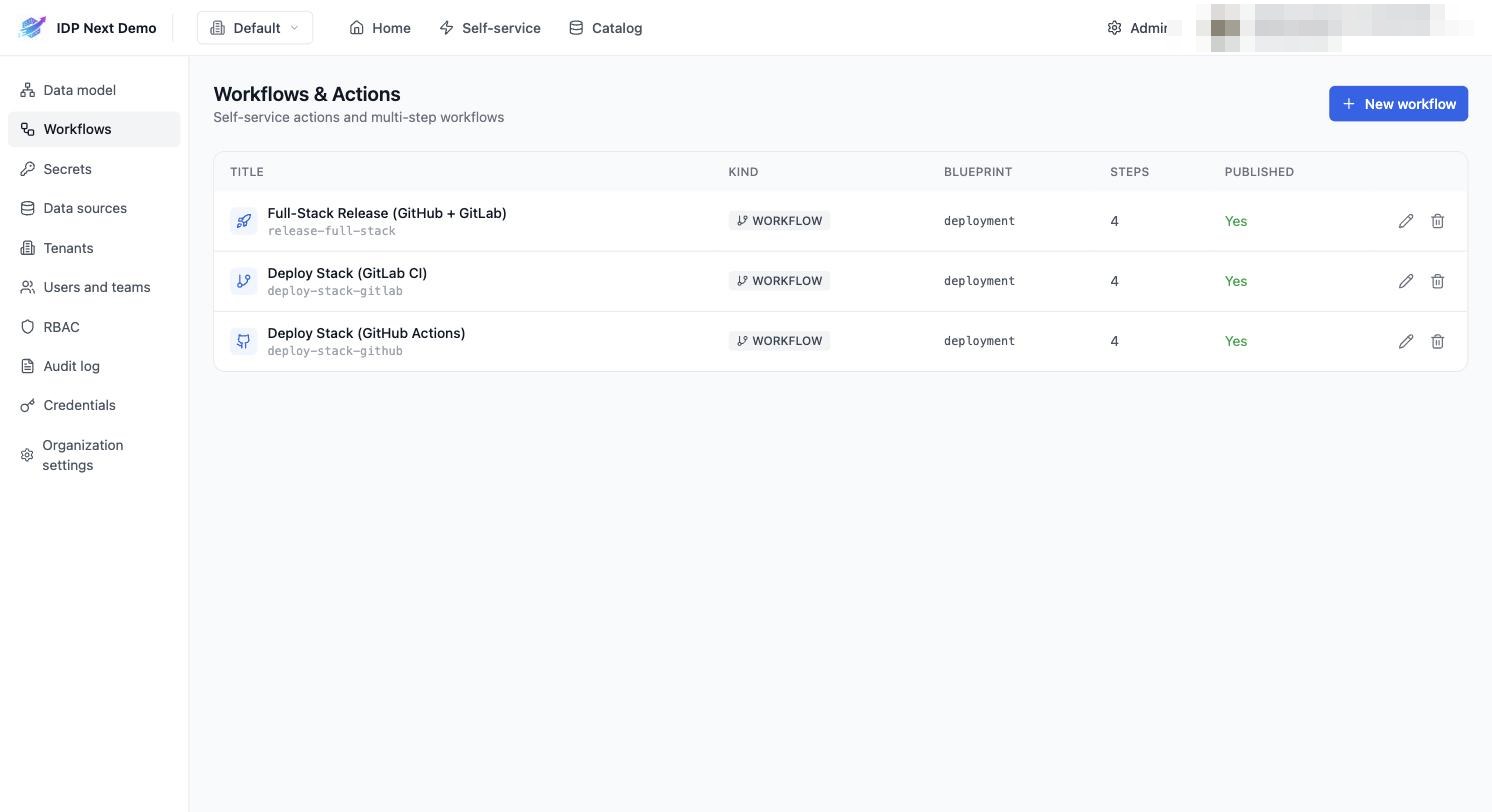
Click + New workflow (or the pencil on an existing one) to open the editor. It has four tabs: Basics, User Inputs, Steps, JSON.
Basics
Identifier, title, description, a category, the operation (CREATE), the target blueprint (what entity kind this workflow relates to — deployment for all three demo workflows), and the Published toggle that makes it visible in Self-service:
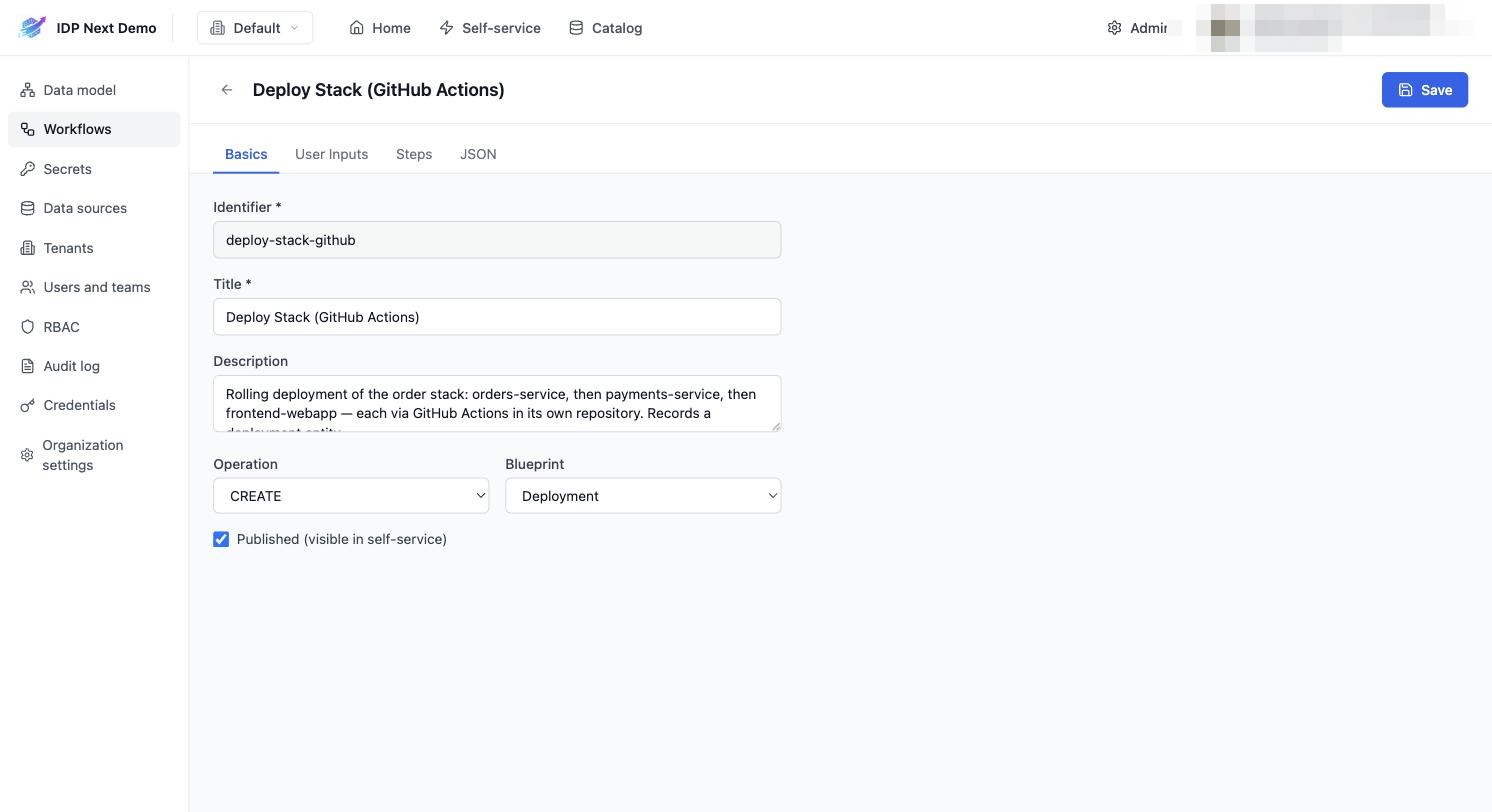
Category is free text (e.g. Deployment, Infrastructure, Access) and groups the workflow on the Self-service page, where users can also filter down to a single category. The field suggests categories already used in your organization; leave it empty to file the workflow under the default Generic category.
User Inputs
The form users fill when they run the workflow, defined as a JSON schema. The demo workflows all use:
json
{
  "required": ["environment", "version"],
  "properties": {
    "version": { "type": "string", "title": "Version", "default": "1.0.0" },
    "environment": {
      "enum": ["dev", "staging", "prod"],
      "type": "string",
      "title": "Environment",
      "default": "staging"
    }
  }
}
enum renders as a dropdown; default pre-fills the field. { "type": "string", "format": "entity", "blueprint": "cluster" } renders a searchable entity picker.
An entity input can also accept several entities: set Limit → Multiple entities in the builder (or write { "type": "array", "items": { "type": "string", "format": "entity", "blueprint": "githubRepository" } }) and the portal shows a multi-select picker. The chosen identifiers arrive as an array — the natural feed for a looped step.
Inputs can also depend on each other, be shown/hidden or disabled by a jq condition, and entity pickers can be filtered by rules that reference other inputs, the target entity or the current user — see Advanced Form Configuration.
Steps
Steps are the heart of a workflow — an ordered list with dependencies, rendered as a DAG in the run view:
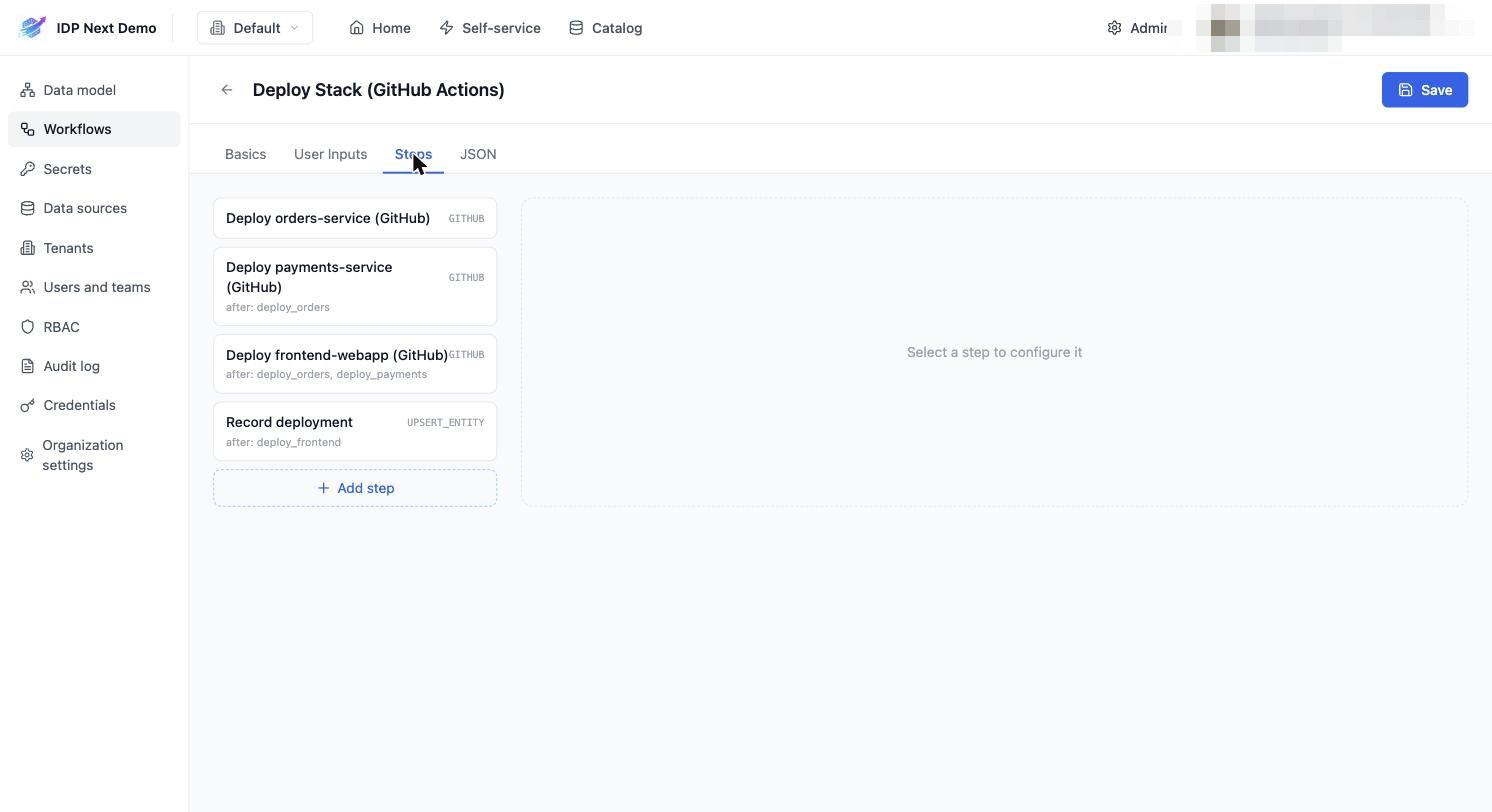
Select a step to configure it:
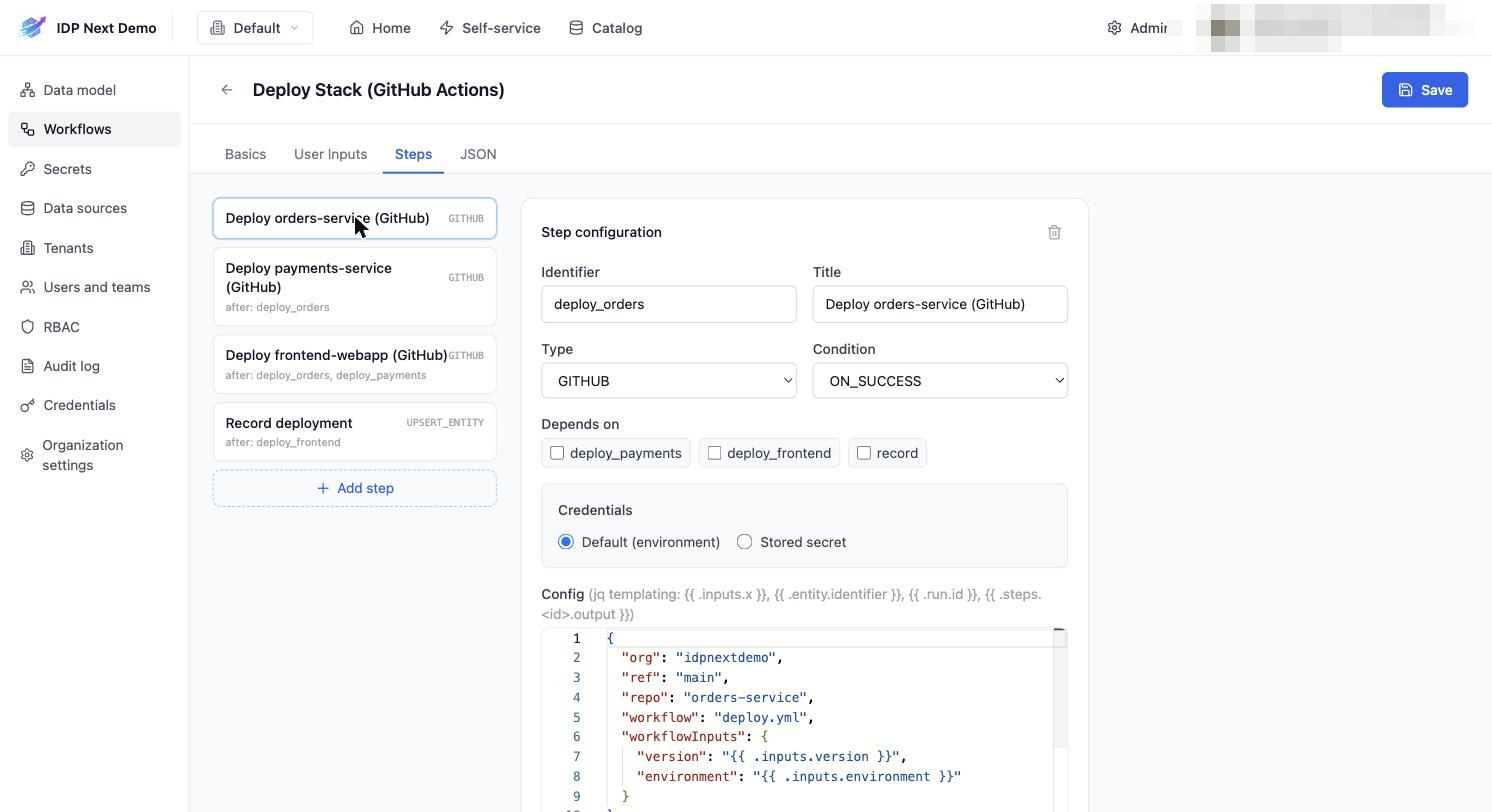
Each step has:
| Field | Meaning |
|---|---|
| Identifier | unique id — referenced by other steps (dependsOn) and in jq templates (.steps.<id>.status) |
| Type | GITHUB (dispatch an Actions workflow), GITLAB (create a CI pipeline), WEBHOOK (call an HTTP endpoint), APPROVAL (human gate), UPSERT_ENTITY (write to the catalog) |
| Condition | ON_SUCCESS (run only if dependencies succeeded) or ALWAYS (run even after failures — used for recording results) |
| Depends on | which steps must finish first; steps with the same dependencies run in parallel |
| Run this step once per item | turns the step into a loop: Items (jq) is an expression that yields an array, Max parallel caps how many items run at once |
| Credentials | Default (environment) or Stored secret (see Secrets) |
| Config | type-specific JSON (repo/workflow for GITHUB, projectId/variables for GITLAB, url/body for WEBHOOK, mapping for UPSERT_ENTITY) |
| Timeout | minutes before the step is failed (or, for APPROVAL, before onTimeout applies) — for a loop, per item |
jq templating
Config values support {{ ... }} jq templates evaluated against the run context:
| Expression | Value |
|---|---|
{{ .inputs.version }} | a user input (raw value; an entity input is its identifier) |
{{ .form.release.properties.tag }} | an entity input as the selected entity — { identifier, title, blueprint, properties, relations }, snapshotted when the run starts (.form.service.relations.repository); non-entity inputs are the same as .inputs |
{{ .run.id }} | the run id (r_...) |
{{ .user.email }} | who triggered the run |
{{ .entity.identifier }} | the related entity (for entity-scoped actions) |
{{ .steps.deploy_orders.status }} | another step's result (SUCCESS / FAILURE / SKIPPED) |
{{ if (.steps.a.status == "SUCCESS") and (.steps.b.status == "SUCCESS") then "SUCCESS" else "FAILURE" end }} | computed values |
Use underscores in step identifiers
.steps.deploy-orders.status is invalid jq (the hyphen parses as subtraction). Name steps deploy_orders, not deploy-orders.
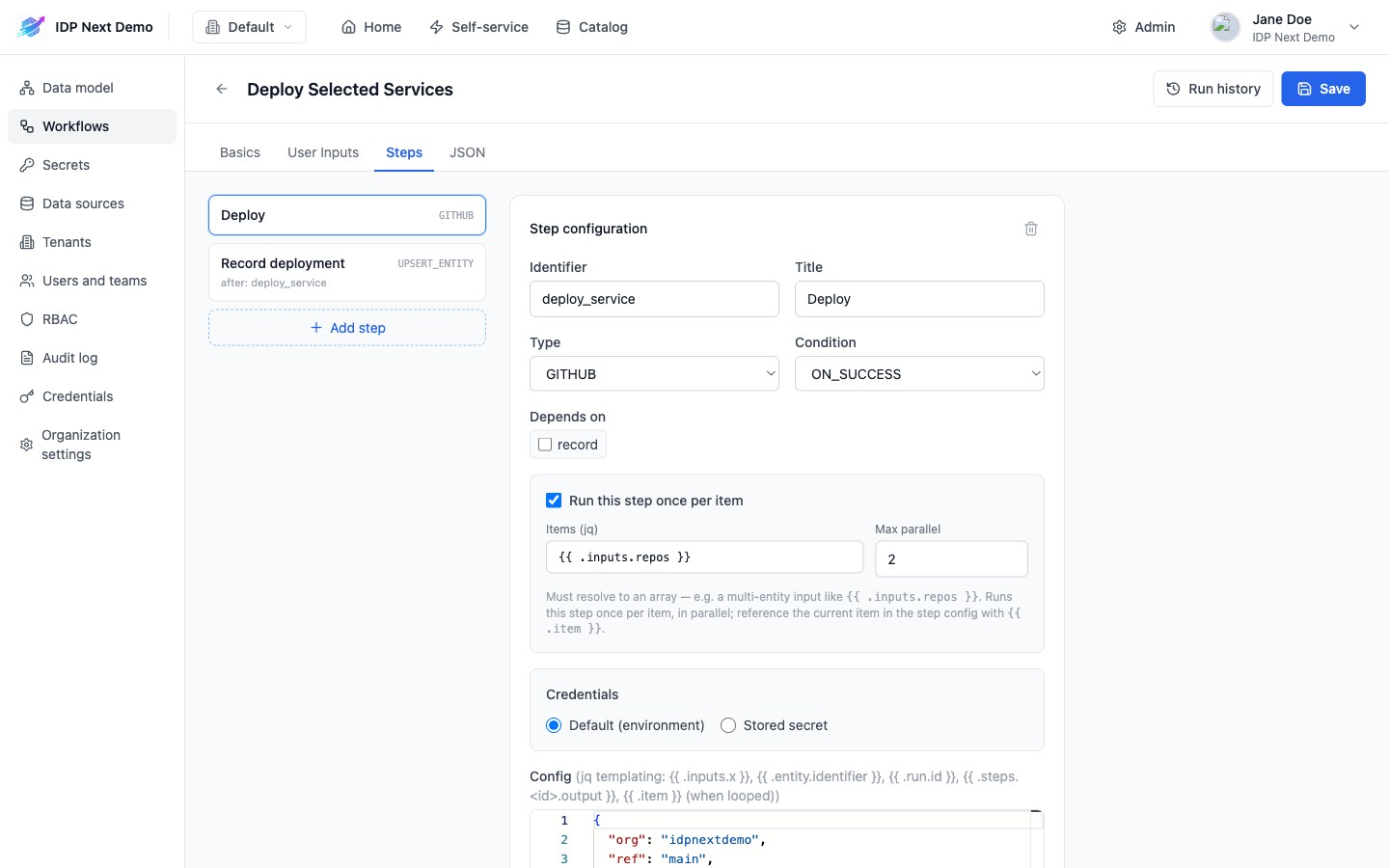
Running a step once per item — loop
One step can fan out over a list — typically a multi-entity input. Tick Run this step once per item in the panel, or add loop to the step JSON:
json
{
  "identifier": "deploy_service",
  "type": "GITHUB",
  "loop": { "items": "{{ .inputs.repos }}", "maxConcurrency": 2 },
  "config": {
    "org": "idpnextdemo",
    "repo": "{{ .item | split(\"/\") | last }}",
    "workflow": "deploy.yml",
    "workflowInputs": { "environment": "{{ .inputs.environment }}", "version": "{{ .inputs.version }}" }
  }
}itemsis a jq template that must resolve to an array when the step becomes runnable (after its dependencies, so it can also read.steps.<id>.outputof an earlier step).maxConcurrencyis optional — omit it to run every item at once.- The engine creates one instance per element, identified
deploy_service__0,deploy_service__1, … (identifiers you author may therefore not end in__<number>). Each instance is dispatched, tracked and timed out on its own, with the same config template evaluated against its element:{{ .item }}is the current element (a string, or an object if the array holds objects — there is no index variable). - Other steps keep referring to the authored identifier —
"dependsOn": ["deploy_service"]waits for all instances — and read the aggregate:
| Expression | Value |
|---|---|
{{ .steps.deploy_service.status }} | SUCCESS when every instance succeeded or was skipped; FAILURE as soon as one failed, timed out or was declined; CANCELLED if one was cancelled; IN_PROGRESS while any is running |
{{ .steps.deploy_service.output }} | array of each instance's output, in item order (GITHUB/GITLAB steps have no output; WEBHOOK steps return the response body) |
{{ .steps.deploy_service.items }} | [{ status, output }, …] per instance — e.g. .items[1].status |
- Edge cases: an empty array marks the step
SKIPPED("No items to loop over") and dependants run as usual; an expression that fails or does not yield an array marks the stepFAILURE. - On the run page each instance is its own node, titled
Deploy (1/3),(2/3), … — see Tracking Runs.
Loop over different targets
The GITHUB step recognises the run it dispatched by looking up the newest workflow_dispatch run of that workflow file. Instances that dispatch different repositories or workflow files (as above) are always matched correctly; several instances dispatching the same file at the same time can pick up each other's run — set maxConcurrency: 1 in that case, or pass {{ .step.id }} as an input and let the workflow report back.
JSON
The whole workflow as a single JSON document — handy for copy/pasting the demo workflow definitions or managing workflows via the API:
bash
curl -X POST "https://<your-idp-domain>/api/v1/workflows" \
  -H "Authorization: Bearer $TOKEN" -H "Content-Type: application/json" \
  -d @workflow.json