
Appearance
Ingest Your Catalog with Ocean
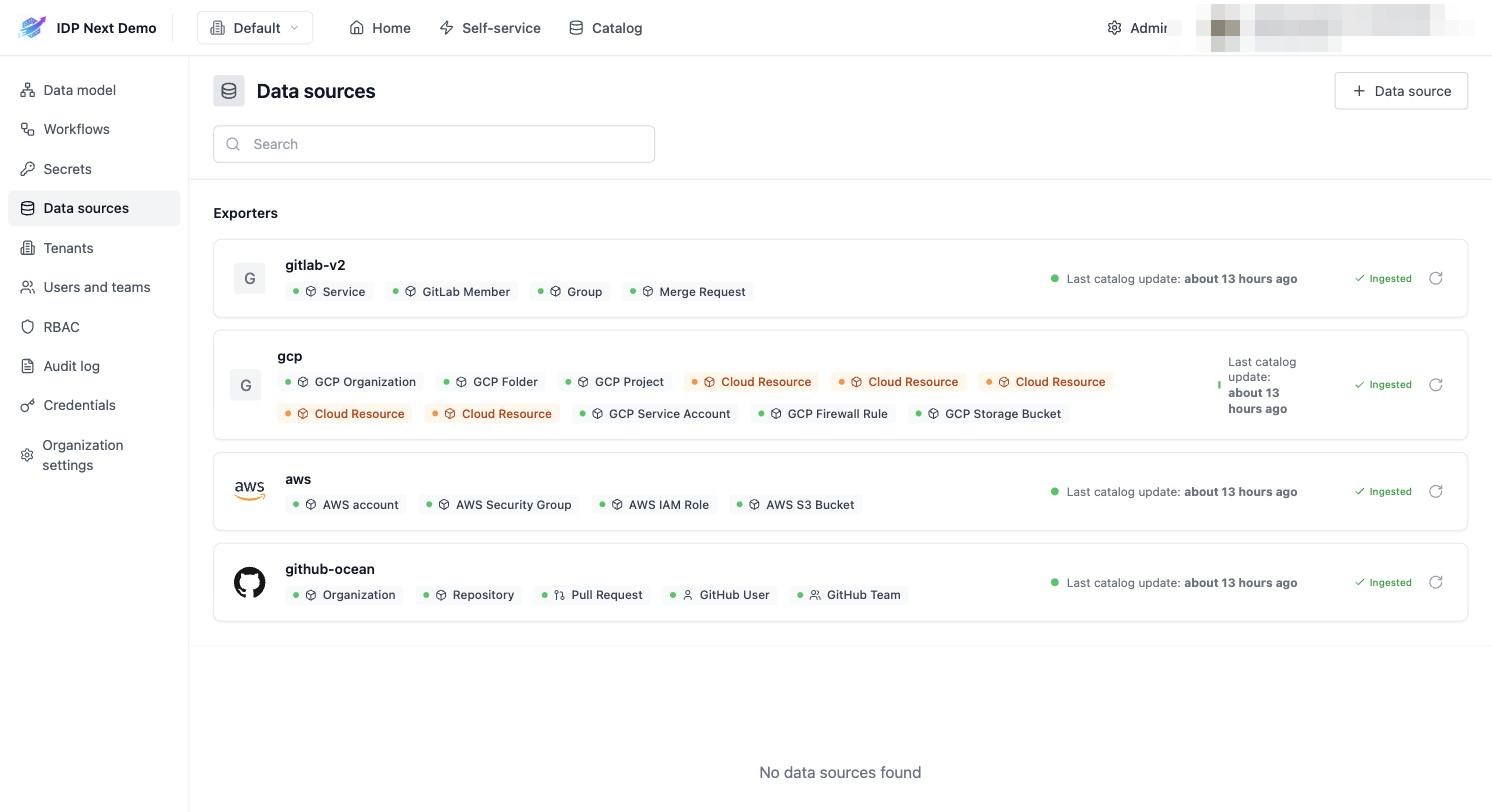
The demo catalog (repositories, GitLab projects, GCP resources, AWS resources) is filled automatically by Port Ocean exporters running on a schedule in GitHub Actions. The IDP implements the Port-compatible API, so standard Ocean integrations work against it out of the box.
After this page you'll have the same setup as Admin → Data sources in the demo:
1. Create a service account
Ocean authenticates with a service account (client ID + secret), not a user account.
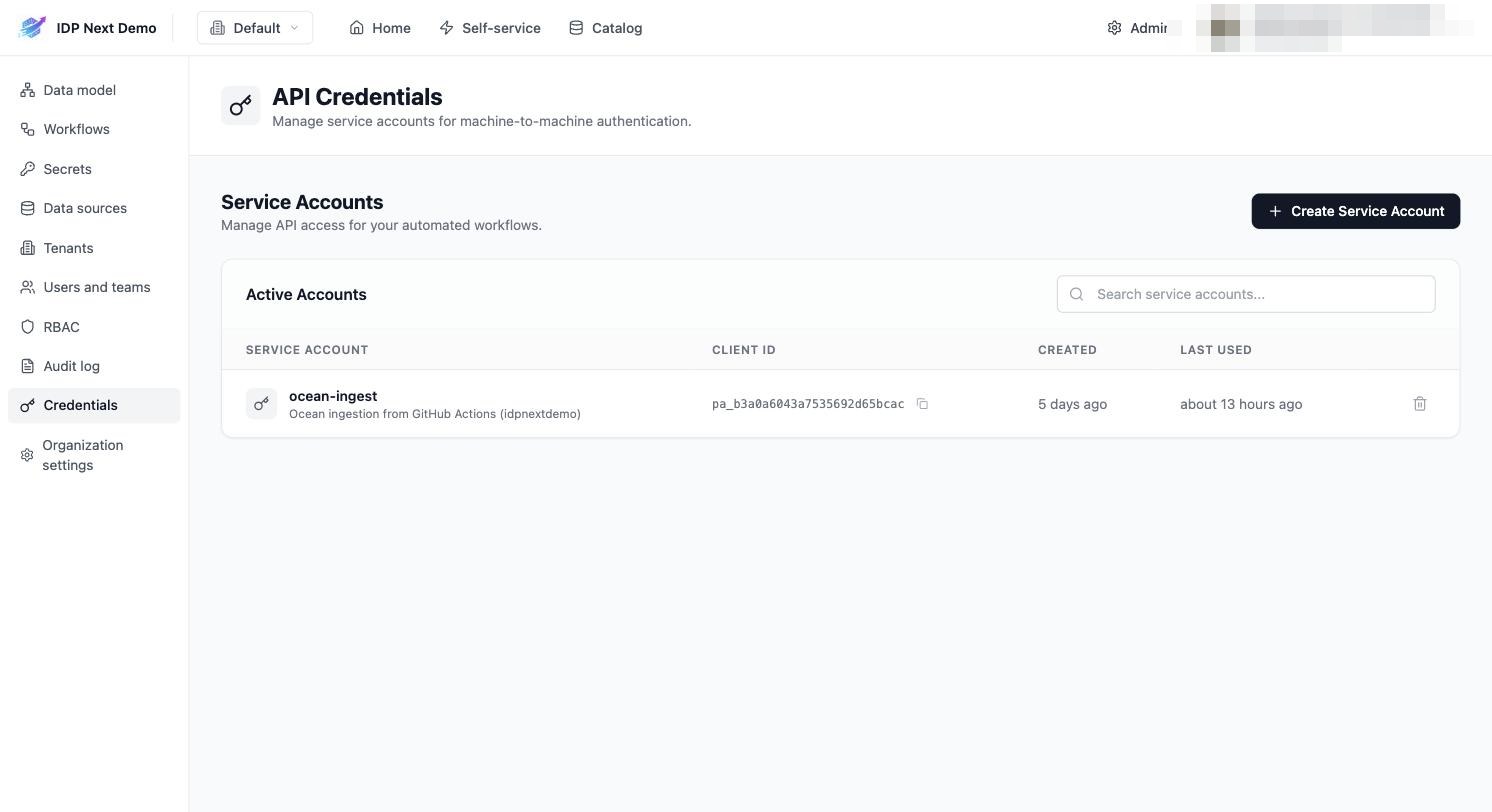
- Go to Admin → Credentials → Create Service Account (the demo uses
ocean-ingest). - Copy the Client ID (
pa_...) and Client Secret — the secret is shown only once.
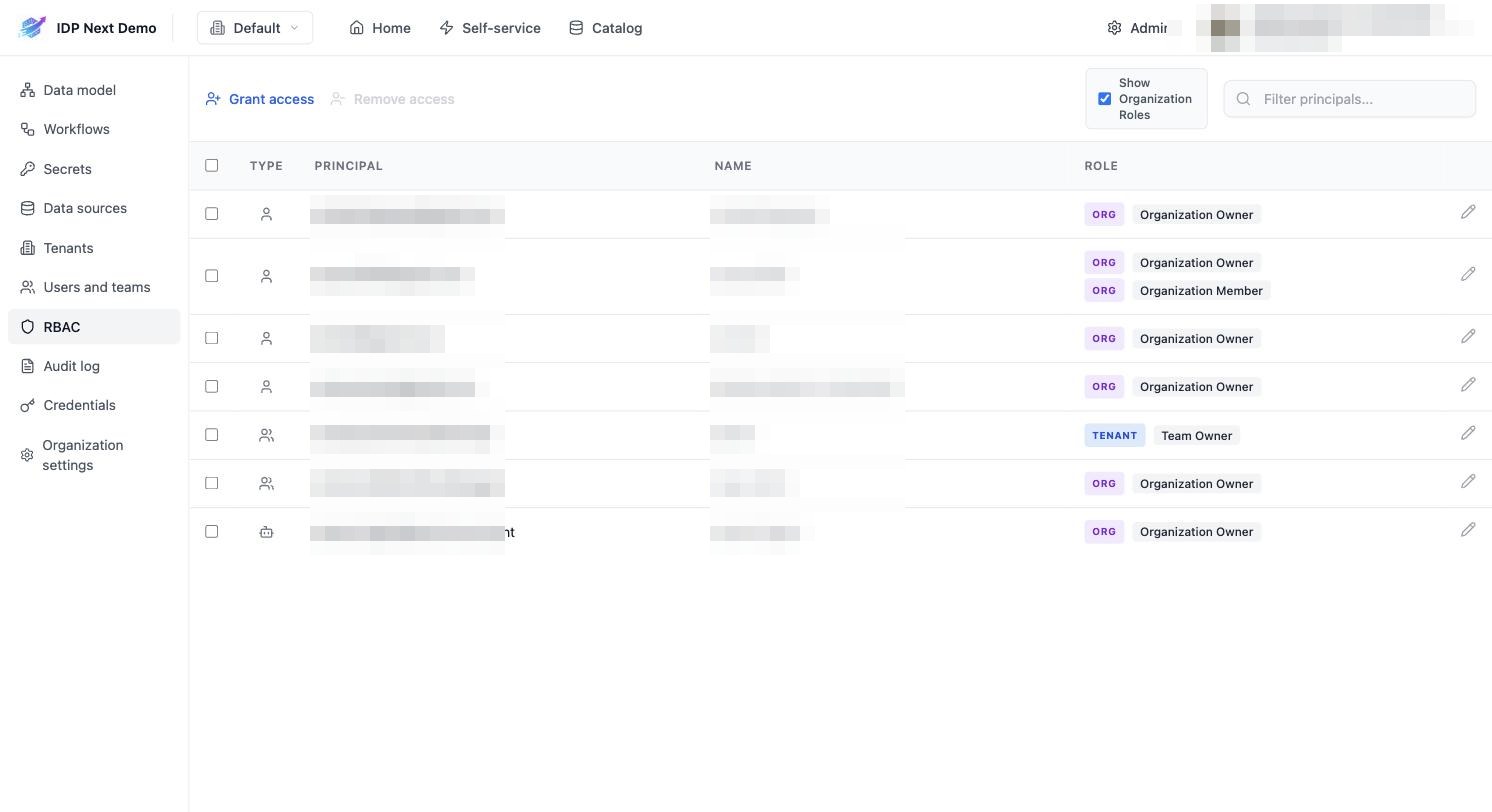
- Grant it a role. Service accounts have no permissions by default — Ocean will fail with
403on/v1/integration/provision-enabledif you skip this. Go to Admin → RBAC → Grant access and assign the service account an organization role (the demo grantsOrganization Owner):
Permission changes are cached
RBAC deny decisions are cached for ~5 minutes — if you just granted the role and still get 403s, wait a few minutes.
2. Add the ingestion workflow to a config repository
The demo keeps its ingestion pipeline in idpnextdemo/deployments-config-v2. Create .github/workflows/ingest-idpnext.yml:
yaml
name: ingest-idpnext
on:
  workflow_dispatch:
  schedule:
    - cron: "0 6 * * *"

env:
  IDP_BASE_URL: https://idpnext.wazyneo.com

jobs:
  ingest:
    runs-on: ubuntu-latest
    timeout-minutes: 30
    steps:
      - name: GitHub (idpnextdemo org)
        continue-on-error: true
        uses: port-labs/ocean-sail@v1
        with:
          type: github-ocean
          port_client_id: ${{ secrets.IDP_CLIENT_ID }}
          port_client_secret: ${{ secrets.IDP_CLIENT_SECRET }}
          port_base_url: ${{ env.IDP_BASE_URL }}
          version: "4.5.6-beta"
          config: |
            githubHost: https://api.github.com
            github_host: https://api.github.com
            githubToken: "${{ secrets.PAT_GITHUB_TOKEN }}"
            github_token: "${{ secrets.PAT_GITHUB_TOKEN }}"
            githubOrganization: idpnextdemo
            github_organization: idpnextdemo

      - name: GitLab (idpnextdemo group)
        continue-on-error: true
        uses: port-labs/ocean-sail@v1
        with:
          type: gitlab-v2
          port_client_id: ${{ secrets.IDP_CLIENT_ID }}
          port_client_secret: ${{ secrets.IDP_CLIENT_SECRET }}
          port_base_url: ${{ env.IDP_BASE_URL }}
          config: |
            gitlabToken: "${{ secrets.PAT_GITLAB_TOKEN }}"
            gitlab_token: "${{ secrets.PAT_GITLAB_TOKEN }}"

      - name: GCP (idpnextdemo project)
        continue-on-error: true
        uses: port-labs/ocean-sail@v1
        with:
          type: gcp
          port_client_id: ${{ secrets.IDP_CLIENT_ID }}
          port_client_secret: ${{ secrets.IDP_CLIENT_SECRET }}
          port_base_url: ${{ env.IDP_BASE_URL }}
          config: |
            encoded_adc_configuration: ${{ secrets.ENCODED_ADC_IDPNEXTDEMO }}

      - name: AWS
        continue-on-error: true
        uses: port-labs/ocean-sail@v1
        with:
          type: aws
          port_client_id: ${{ secrets.IDP_CLIENT_ID }}
          port_client_secret: ${{ secrets.IDP_CLIENT_SECRET }}
          port_base_url: ${{ env.IDP_BASE_URL }}
          config: |
            aws_access_key_id: ${{ secrets.AWSACCESSKEYID }}
            aws_secret_access_key: ${{ secrets.AWSSECRETACCESSKEY }}
Add the repository secrets it references:
| Secret | Value |
|---|---|
IDP_CLIENT_ID / IDP_CLIENT_SECRET | the service account credentials from step 1 |
PAT_GITHUB_TOKEN | a GitHub token that can read your org's repos/teams/users |
PAT_GITLAB_TOKEN | a GitLab token with api scope on your group |
ENCODED_ADC_IDPNEXTDEMO | base64-encoded GCP service account key (viewer roles) |
AWSACCESSKEYID / AWSSECRETACCESSKEY | read-only AWS credentials |
Only add the blocks/secrets for the providers you actually use — each step is continue-on-error, so one failing provider doesn't block the others.
3. Run it
Trigger the workflow manually the first time (Actions → ingest-idpnext → Run workflow). Each exporter:
- Authenticates against the IDP with the service account.
- Provisions its default blueprints and integration config (visible in Admin → Data sources).
- Syncs entities into the catalog.
From then on it runs daily at 06:00 UTC (the cron trigger).
4. Scope and customize the mappings
Each data source has a mapping: rules that transform provider API payloads into entities using jq expressions. Mappings live in the IDP (IntegrationConfig) and are editable via API — no workflow change needed:
bash
curl -X PATCH "https://<your-idp-domain>/v1/integration/my-gitlab-v2-integration" \
  -H "Authorization: Bearer $TOKEN" -H "Content-Type: application/json" \
  -d @mapping.json
Example — the demo's GitLab project mapping, which maps GitLab projects into the service blueprint and scopes the sync to one group via the selector query:
yaml
resources:
  - kind: project
    selector:
      query: '.path_with_namespace | startswith("idpnextdemo/")'
      includedFiles:
        - README.md
        - CODEOWNERS
      includeLanguages: true
    port:
      entity:
        mappings:
          identifier: '.path_with_namespace | gsub(" "; "")'
          title: .name
          blueprint: '"service"'
          properties:
            url: .web_url
            readme: '.__includedFiles["README.md"]'
            language: '.__languages // {} | to_entries | max_by(.value) | .key'
            codeowners: '.__includedFiles["CODEOWNERS"]'
And the GitHub repository mapping:
yaml
resources:
  - kind: repository
    selector:
      query: 'true'
    port:
      entity:
        mappings:
          identifier: .name
          title: .name
          blueprint: '"githubRepository"'
          properties:
            url: .html_url
            readme: file://README.md
            language: if .language then .language else "" end
            visibility: if .private then "private" else "public" end
            defaultBranch: .default_branch
          relations:
            organization: .owner.login
Tightening a filter doesn't delete old entities
The IDP does not implement Ocean's stale-entity deletion. If you narrow a selector after a sync, entities that no longer match stay in the catalog — delete them manually via the UI or API.