
Appearance
Deploy via GitLab & Approvals
Deploy Stack (GitLab CI)
Running Deploy Stack (GitLab CI) works exactly like the GitHub walkthrough, with two differences you'll notice in the run view:
- The step graph fans out: after
analytics-pipeline, theordersandpaymentssteps run in parallel. - Each
GITLABstep creates a CI pipeline in the GitLab project (log line:GitLab pipeline #2688934223), and the step completes when the pipeline webhook reports the final pipeline status. The open link jumps to the pipeline in GitLab.
Full-Stack Release — with an approval gate
The Full-Stack Release (GitHub + GitLab) workflow starts with an APPROVAL step. Launch it from Self-service (it defaults to prod), and the run pauses immediately:
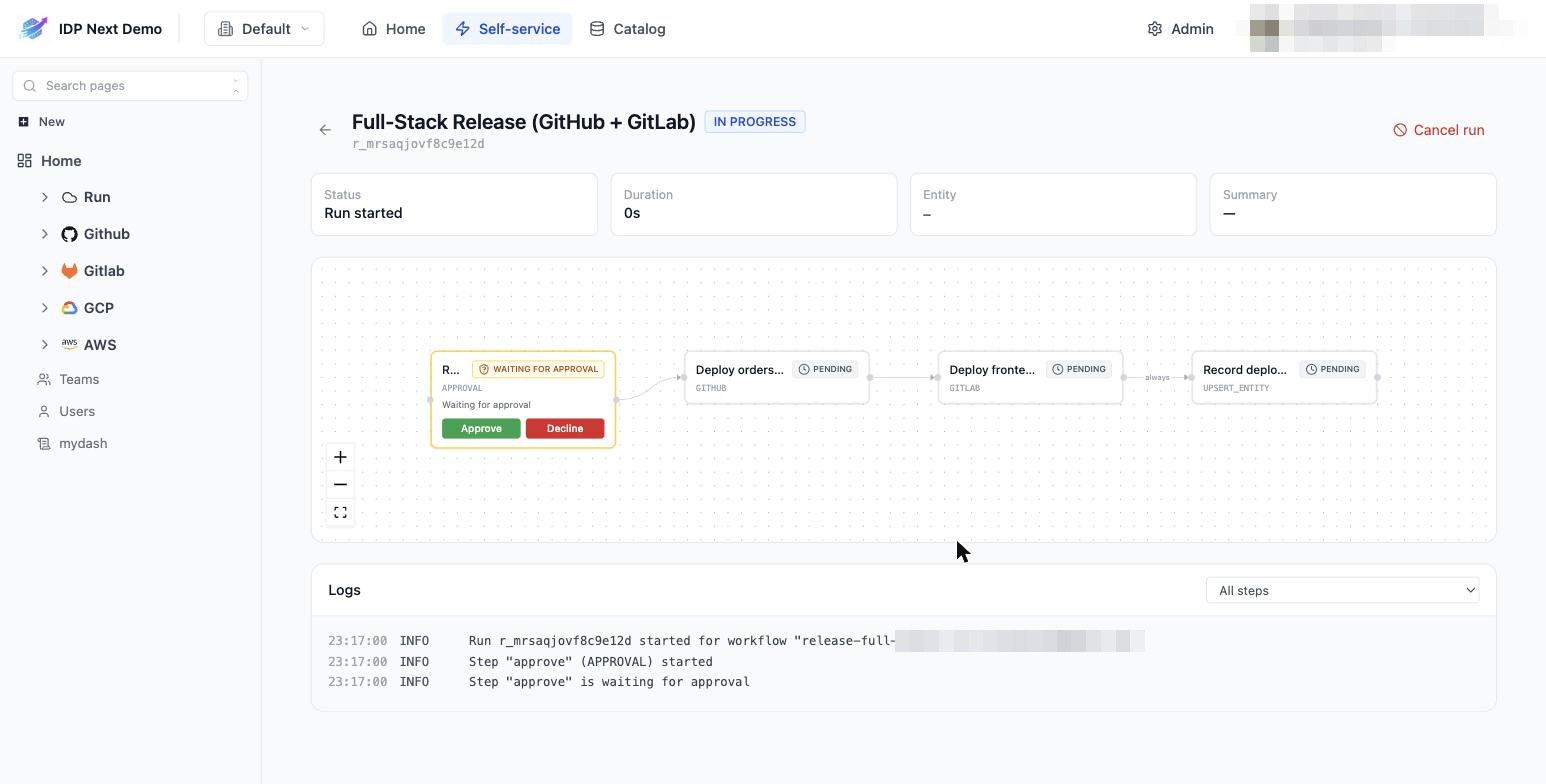
The approval step shows Approve and Decline buttons directly in the step graph. Everything else is PENDING behind it.
Approving (or declining)
- Approve — the release proceeds: backend via GitHub Actions, then frontend via GitLab CI, then the record step.
- Decline — the run fails; dependent steps are skipped, and the record step (condition
ALWAYS) logs the failed release. - Do nothing — the demo's gate is configured with
onTimeout: approveafter 5 minutes, so it auto-approves. Your organization may configure the opposite (auto-reject) or restrict who may approve.
After approving, the full release runs to completion across both providers:
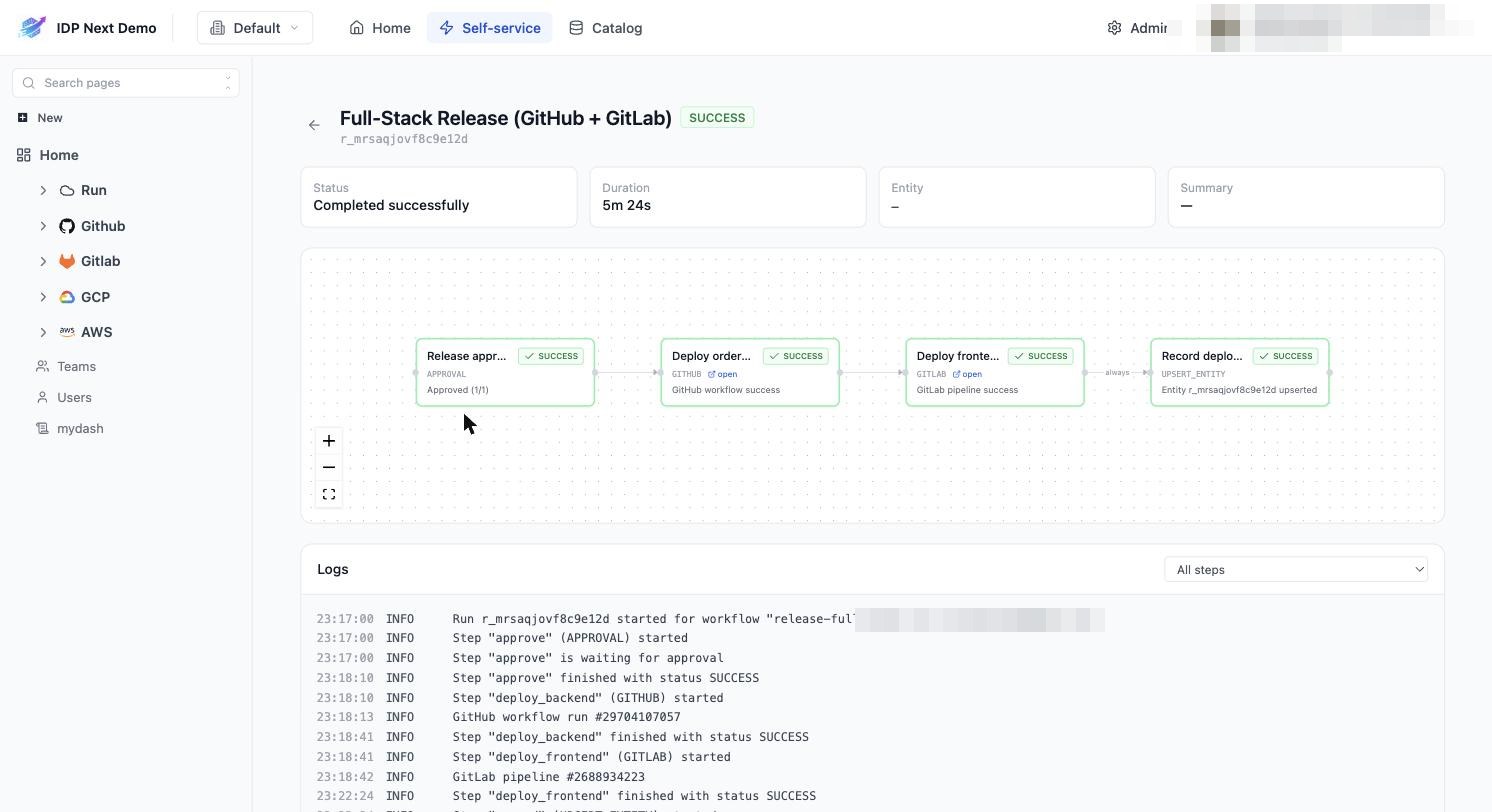
Note the step sequence in the log: approval recorded → GitHub workflow run → GitLab pipeline → entity upserted. One click, two CI systems, full audit trail.