
Appearance
Catalog Pages
Catalog pages are saved views over a blueprint — a table (or card grid) with chosen columns, filters and grouping. Pages are organized into folders in the left sidebar.
The demo's sidebar has folders per provider (Github, Gitlab, GCP, AWS), a Run folder, and a Deployments page fed by the self-service workflows:
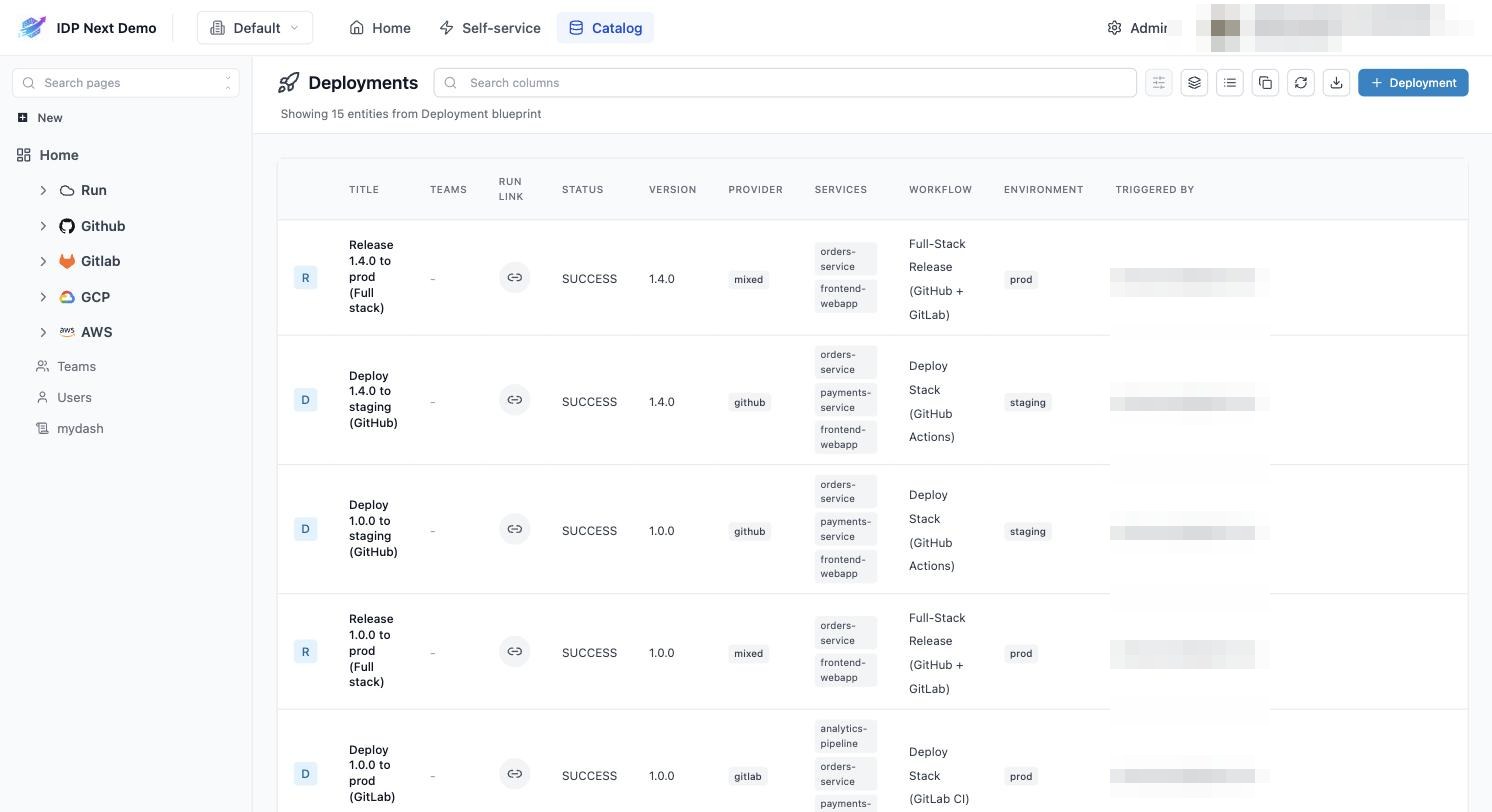
Create the "Deployments" page
- In the sidebar, click New (top of the sidebar) → New page.
- Choose the Deployment blueprint, name the page Deployments, pick the Table layout.
- Configure columns: Title, Run link, Status, Version, Provider, Services, Workflow, Environment, Triggered by — drag to reorder, and hide
identifierif you don't need it. - Save. The page appears in the sidebar; drag it into a folder if you use them.
Once your workflows run (Part 5), every deployment shows up here automatically with a link back to its run.
Page controls
On any catalog page (top right toolbar):
| Control | Purpose |
|---|---|
| Search columns | full-text filter across visible columns |
| Filters | property-based filters (e.g. environment = prod) |
| Group by | group rows by a property (e.g. by Provider) |
| View switcher | table ↔ cards layout |
| Copy / Export | copy the view or export entities |
| + <Blueprint> | manually create an entity of the page's blueprint |
Personal column layout (order, width, visibility) is remembered per page.
Next: wire your CI pipelines →