
Appearance
Deploy via GitHub — End to End
This walkthrough runs Deploy Stack (GitHub Actions): a rolling deployment of three services, each through a real GitHub Actions workflow, finishing with a deployment record in the catalog.
1. Launch it
In Self-service, click Run on Deploy Stack (GitHub Actions). The input form opens:
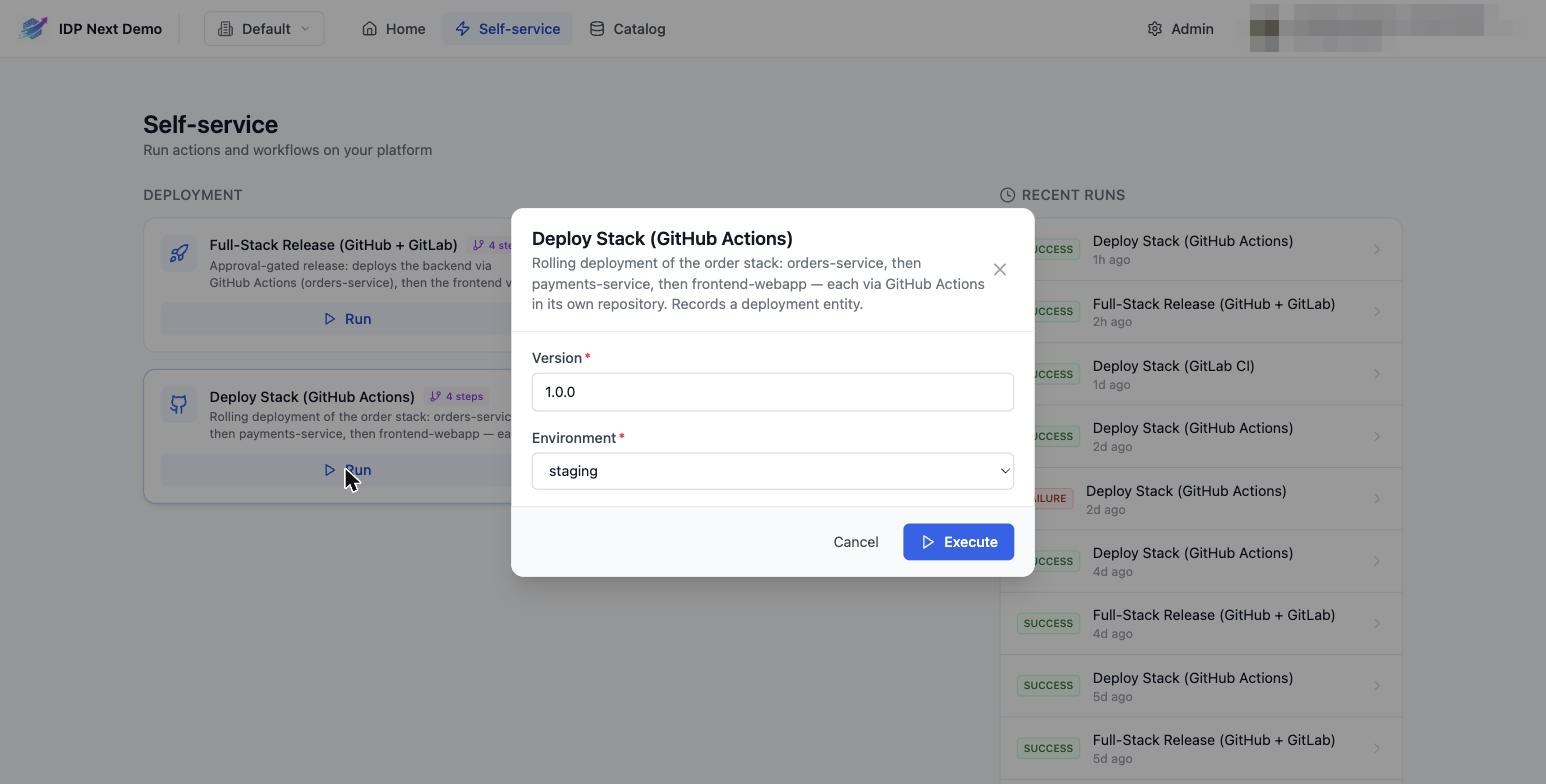
- Version — the version to deploy (e.g.
1.4.0). - Environment —
dev,stagingorprod.
Click Execute.
2. Watch the run
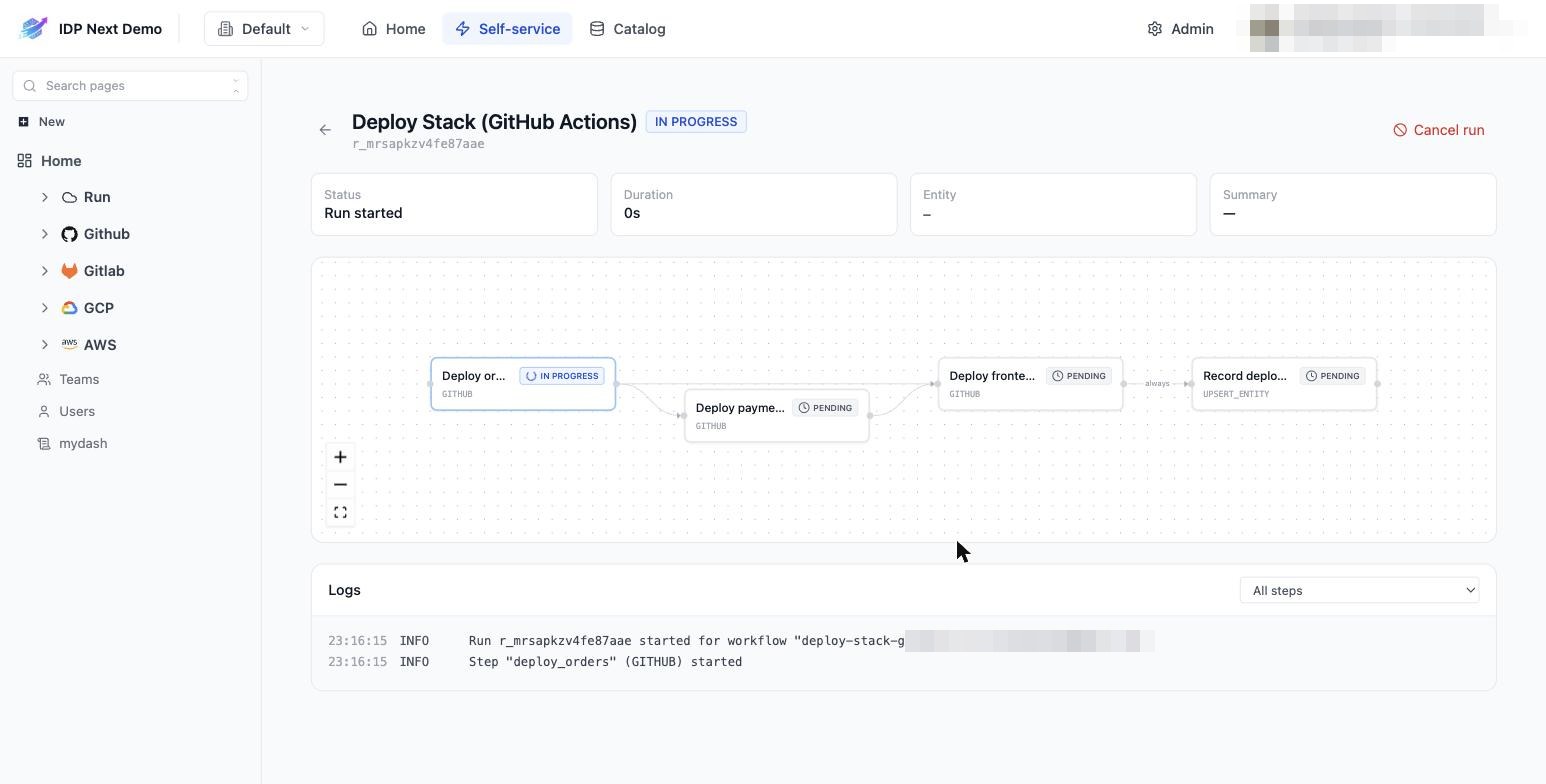
You land on the run details page. The step graph shows the rolling strategy: orders deploying, payments and frontend pending behind it, and the Record deployment step last:
What's happening behind each GITHUB step:
- The IDP dispatches
deploy.ymlin the repository (with yourversion,environment, and aport_run_id). - The log shows the assigned run:
GitHub workflow run #29704050985— the open link on the step jumps to the run on GitHub. - When the Actions run finishes, it calls back to the IDP (and the IDP also polls, as a fallback) and the step flips to
SUCCESS— unblocking the next step.
3. Done
After the three deployments (about 30s each in the demo), the record step upserts the deployment entity and the run completes:
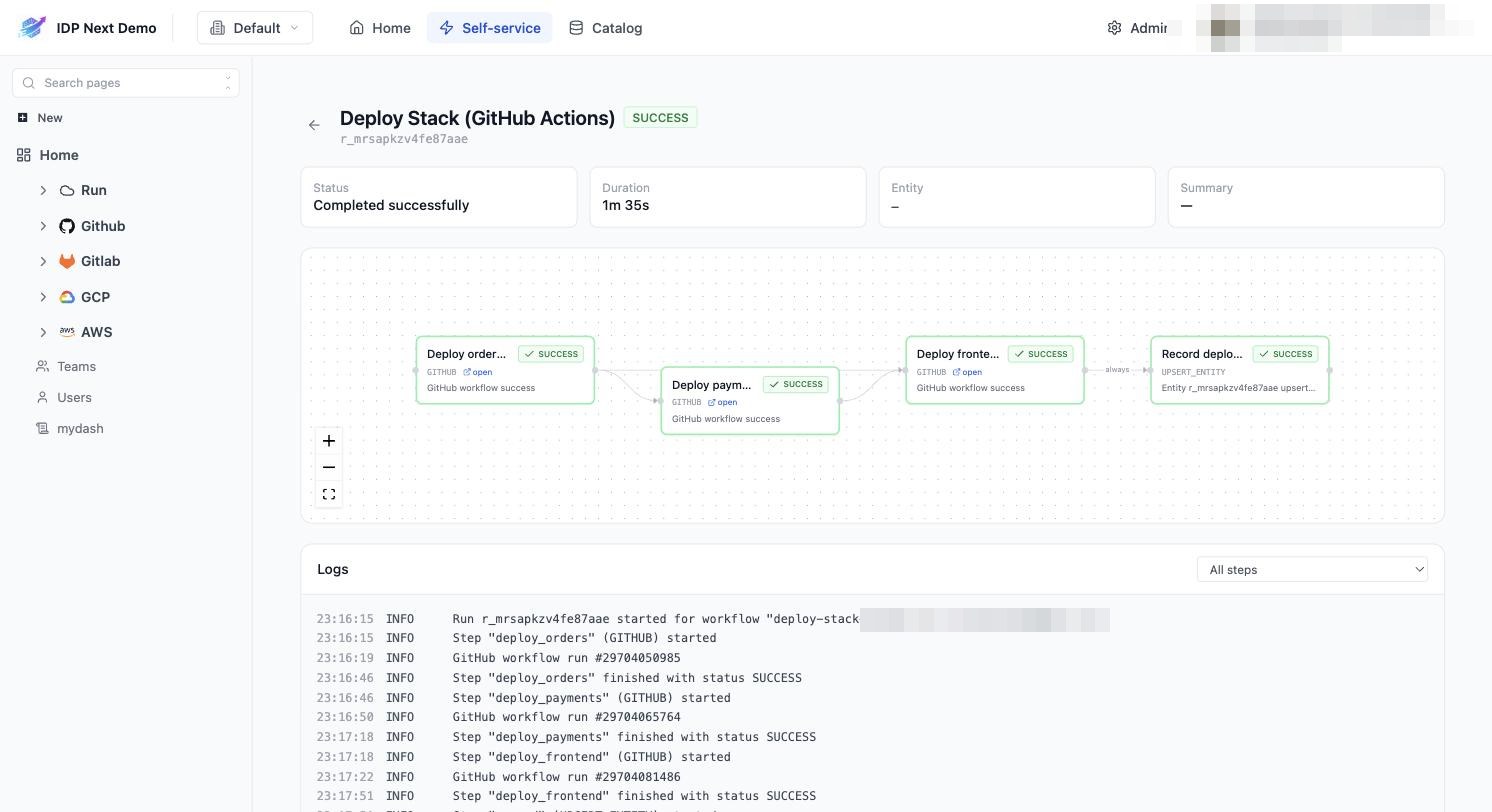
The log at the bottom is the full audit of the run — every step start/finish with timestamps and the external run ids.
4. See it in the catalog
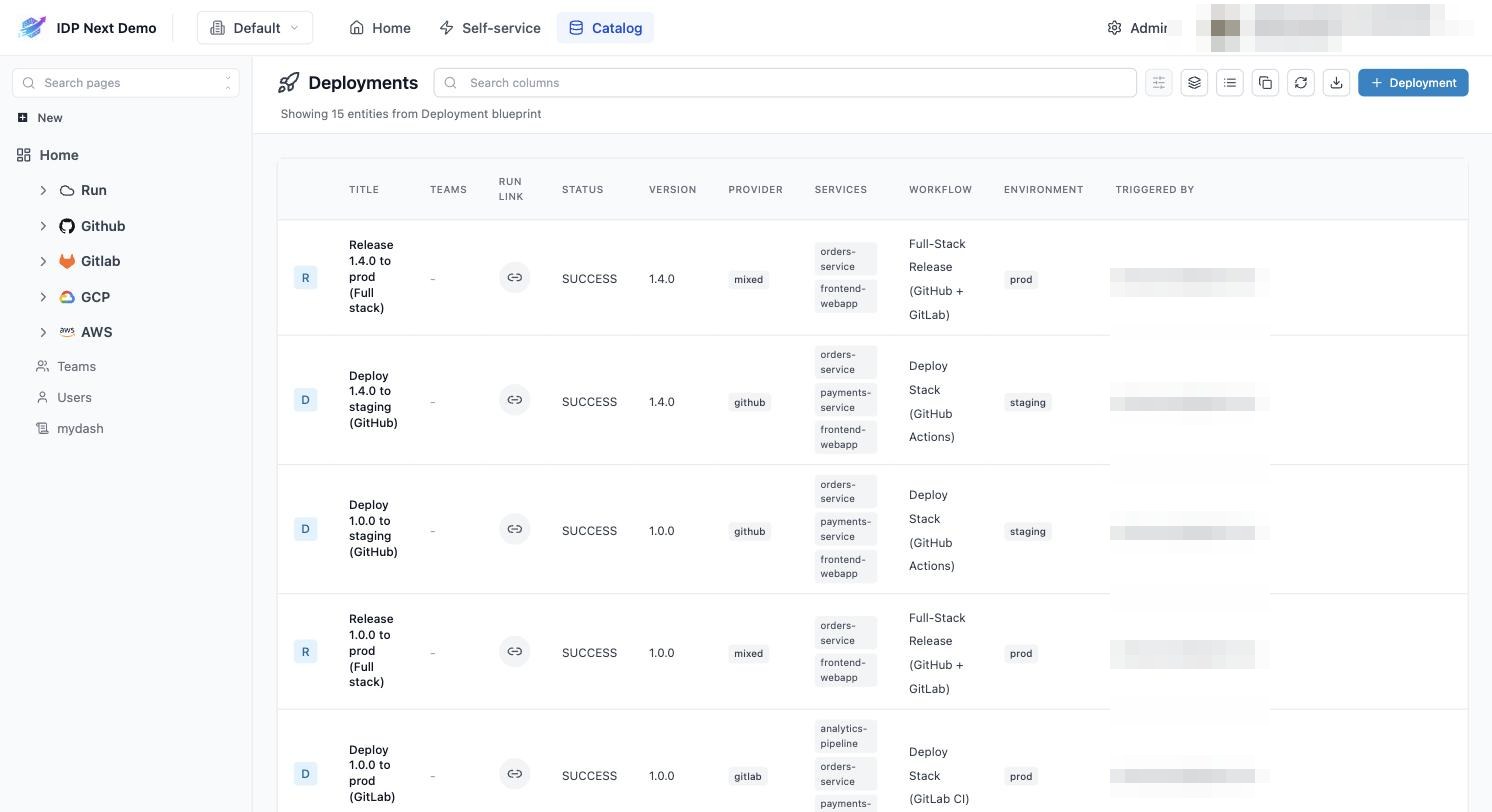
Open Catalog → Deployments: your deployment is the newest row, with version, environment, provider, the services deployed, who triggered it, and a Run link back to the run page:
If a step fails
- The failing step turns red;
ON_SUCCESSsteps behind it are skipped. - The Record deployment step still runs (
ALWAYS) and recordsstatus: FAILURE— failed deployments are visible in the catalog too. - Use the step's open link to read the GitHub Actions logs, fix, and run again.