
Appearance
Tracking Runs
Every workflow execution has a run details page at /self-service/runs/<run-id>, reachable from Recent runs, from a workflow's Run history, from the Deployments catalog page (Run link column), or from the redirect after you execute a workflow.
Run history per workflow
Each card on the self-service page has a ⋮ menu:
- Run history opens
/self-service/workflows/<identifier>/runs— the workflow's header (with Run and, for editors, Edit workflow) followed by a table of every run: status, run id, entity, who triggered it, when it started, duration and summary. Click a row to open its run details; the page refreshes while a run is in progress. - Edit workflow jumps to the admin editor (
/admin/workflows/<identifier>). It is shown only to users with theaction.updatepermission.
The editor and the admin Workflows table link back the other way with a Run history button, so you can move between a workflow's definition and its executions in one click.
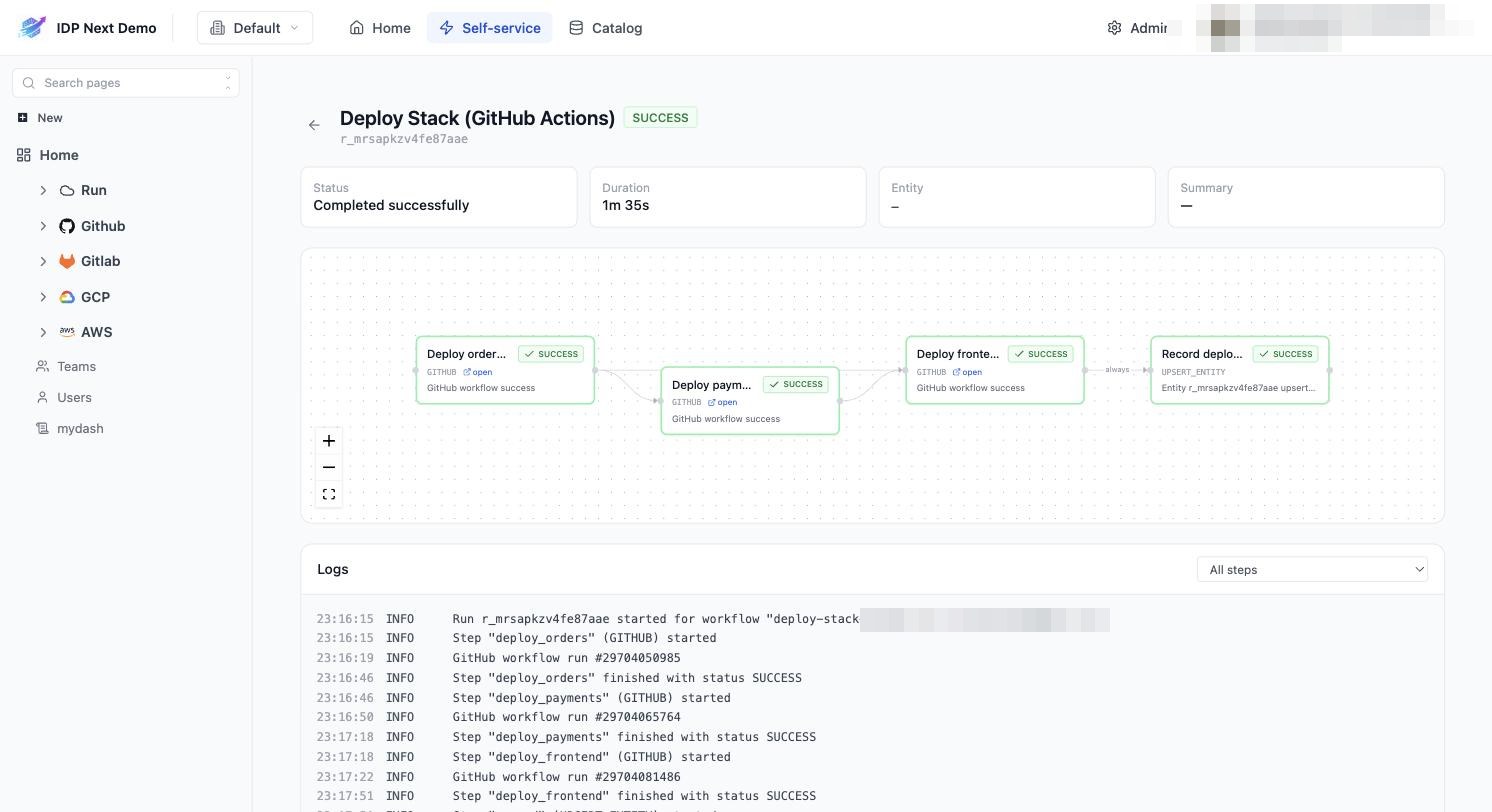
Anatomy of the page
| Section | What it shows |
|---|---|
| Header | workflow name, run id (r_...), overall status badge, and Cancel run while in progress |
| Status cards | current status, total duration, related entity, summary |
| Step graph | the workflow DAG — each node shows its type (GITHUB, GITLAB, WEBHOOK, APPROVAL, UPSERT_ENTITY), live status (PENDING, IN PROGRESS, SUCCESS, FAILURE, SKIPPED), a one-line result, and an open link to the external run/pipeline where applicable |
| Logs | timestamped log of the whole run; filter to a single step with the All steps dropdown |
Looped steps
A step that runs once per item appears as one node per item, titled with its position — Deploy (1/3), (2/3), (3/3) — each with its own status, timeout and open link. The steps that depend on it fan in from every instance and start only when all of them have finished. The All steps dropdown lists the instances the same way, so you can read one item's log on its own. If the item list turns out empty, the step shows as SKIPPED with No items to loop over.
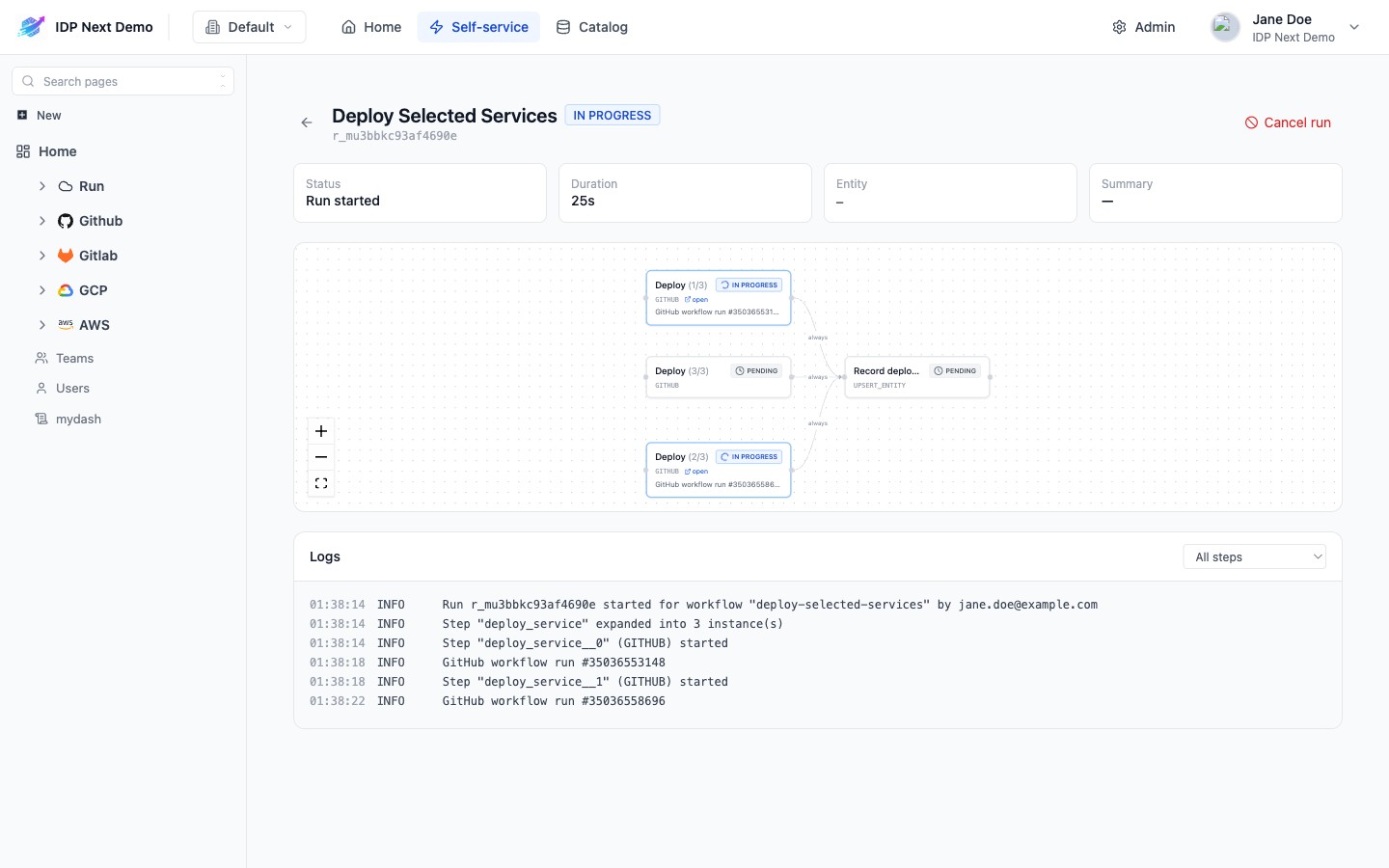
Step statuses
PENDING— waiting for its dependencies (or, in a loop, for a slot when Max parallel is set).IN PROGRESS— dispatched and running (or waiting for approval).SUCCESS/FAILURE— final result, propagated from the external system (Actions run conclusion, pipeline status, approval decision).SKIPPED— a dependency failed and the step's condition wasON_SUCCESS(or a loop had no items).TIMED_OUT/CANCELLED/DECLINED— the step exceeded its timeout, the run was cancelled, or an approver declined; all count as failures for dependants.
Timeouts and cancellation
- Each step has a timeout (10 minutes for the demo's deploy steps). A step that exceeds it is failed, and the run proceeds according to conditions.
- Cancel run stops dispatching new steps. Already-running external pipelines finish on their side but no longer affect the run.
Where results land
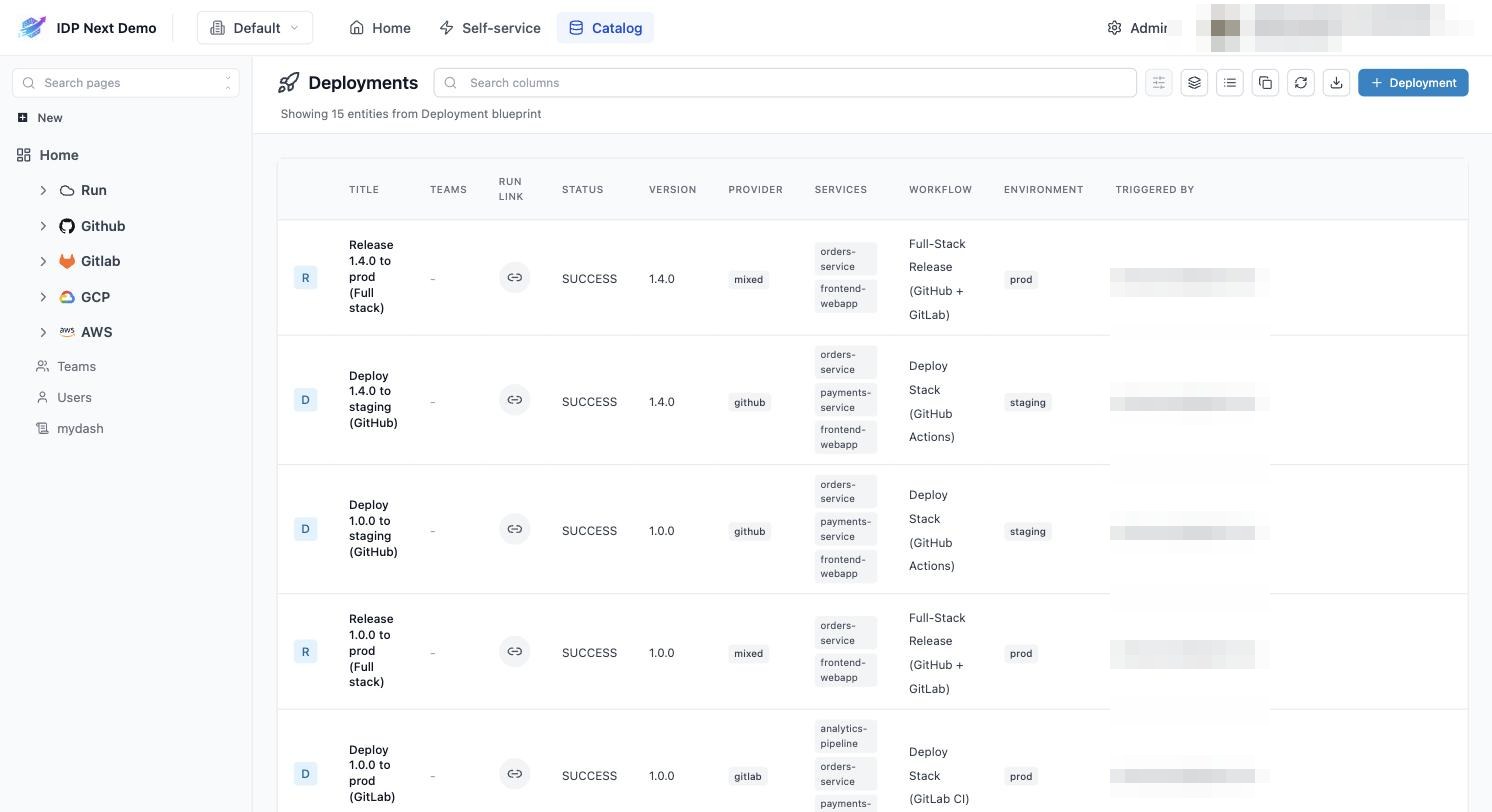
Steps of type UPSERT_ENTITY write to the catalog. In the demo, every run — success or failure — becomes a row on the Deployments page with a Run link back to the run details, so the catalog is the long-term deployment history:
Next: browsing the catalog →