
Appearance
Profile, Teams & Environments
Your profile
Avatar (top right) → Profile:
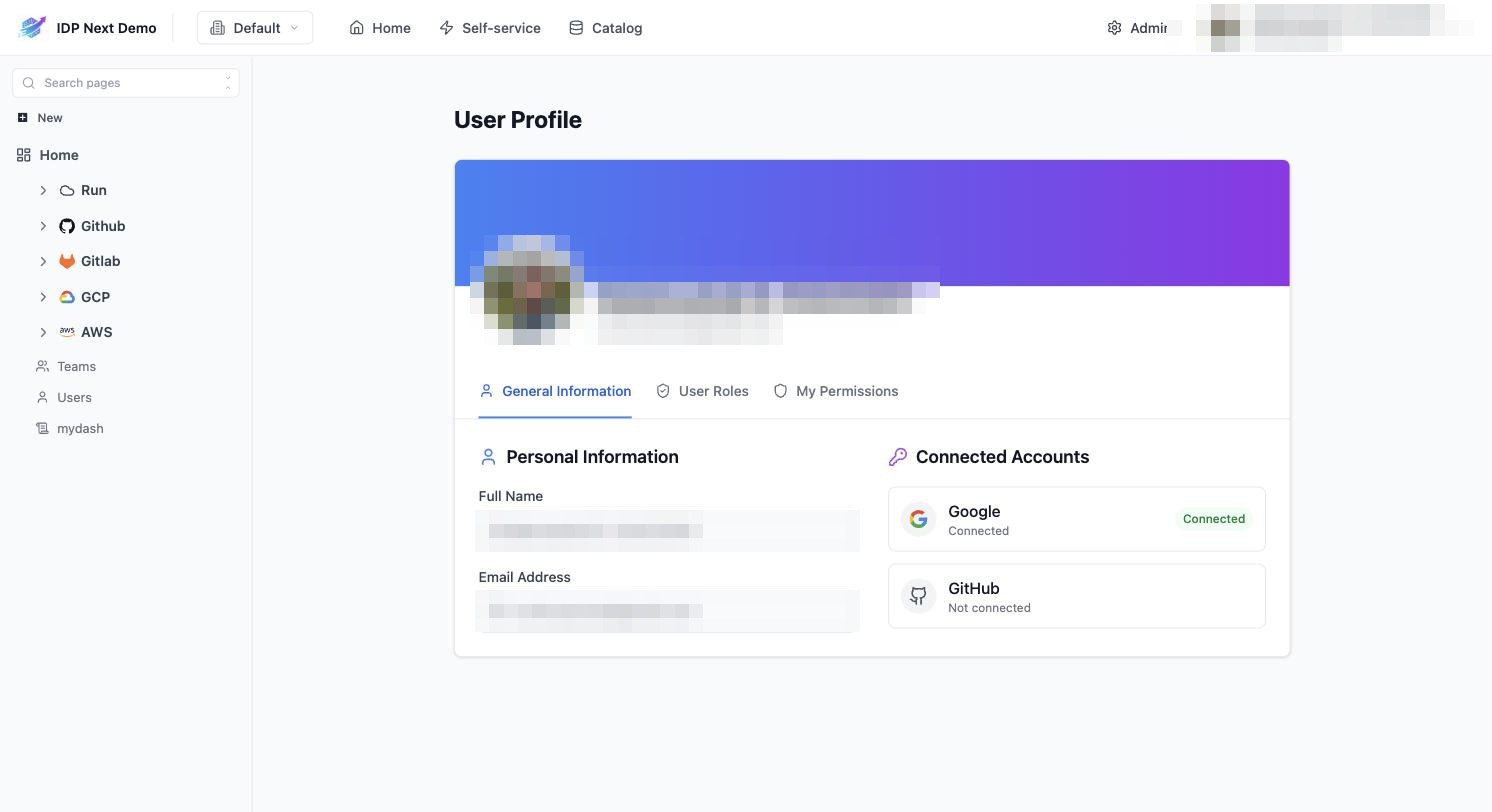
- General Information — name, email, and Connected Accounts (Google / GitHub OAuth identities linked to your user).
- User Roles — the RBAC roles you hold, at organization and tenant scope.
- My Permissions — the effective permission list those roles grant (useful when something is greyed out: check here first).
Default organization
If you belong to more than one organization, General Information also shows a Default organization selector. This is the organization loaded automatically every time you sign in.
- Changing it switches your active organization immediately — the catalog, permissions and everything else re-scope to the newly selected organization; every open page re-fetches its data, so nothing from the previous organization lingers.
- The new choice is remembered as your default for future logins.
If you're a member of a single organization, this selector is hidden — there's nothing to choose.
Teams & users
The sidebar's Teams and Users pages list your organization's teams (with members and repo assignments synced from GitHub/GitLab) and its user directory. Admins manage membership and invitations under Admin → Users and teams (see Users, Teams & RBAC).
Environments (tenants)
The tenant switcher next to the logo (showing Default in the demo) switches your working environment. Blueprints, entities, catalog pages and runs are all scoped to the selected tenant — switching tenants switches the whole catalog view and every open page reloads with the new tenant's data. Your roles can differ per tenant.
Organization-wide teams follow you across tenants: the same team (and your membership in it) is present in each environment's catalog, so team-based permissions and workflow options behave the same wherever you switch. Tenant-scoped teams only appear in their own tenant.
If you open a link that no longer exists (or a bare /catalog URL), you land on the dashboard rather than a blank page.
If you only see Default, your organization uses a single environment — nothing to do.
That's the end-user tour. The remaining pages are reference material for administrators: Users, Teams & RBAC →